
Although vga signal failure long distance dominate today’s market, VGA is still widely used in offices, classrooms, industrial control systems, and legacy display environments. However, one limitation continues to frustrate installers and users alike: VGA signal quality drops quickly over long cable runs.
Understanding why this happens is the key to fixing it. Below, we break down the real causes of VGA signal degradation and outline practical ways to maintain a clear, stable image—even when distance increases.
The Nature of VGA: Analog Has Limits
VGA transmits video as an analog electrical signal, not digital data. This means image quality is directly tied to the physical condition of the signal traveling through the cable. Unlike HDMI or DisplayPort, VGA has no built-in mechanism to correct errors or rebuild a weakened signal.
As distance increases, the signal simply degrades—and the display shows it.

Typical Symptoms of Long-Distance VGA Issues
When VGA cables exceed their effective range, users often notice:
-
Loss of sharpness, especially on text
-
Faded or inaccurate colors
-
Shadowing or ghost images
-
Screen flicker or instability
-
Intermittent or total signal failure
These problems become more severe at higher resolutions and refresh rates.
What Actually Causes VGA Signal Degradation?
Signal Loss Over Distance
Electrical signals weaken as they travel through copper conductors. Over long runs, VGA signals lose strength, resulting in reduced contrast and blurred images.
External Interference
Because VGA is analog, it is highly sensitive to electromagnetic interference from nearby power cables, lighting systems, or industrial equipment. Poor shielding makes this problem worse.
Internal Crosstalk
Low-quality VGA cables may allow interference between RGB signal paths, causing color bleeding or ghosting effects on the screen.
Bandwidth Demand at Higher Resolutions
Higher resolutions require more signal bandwidth. A VGA cable that performs acceptably at low resolution may fail completely when pushed to 1080p over the same distance.
Connector and Termination Issues
Loose connectors, poor pin alignment, or improper impedance matching can reflect signals back through the cable, amplifying image distortion over distance.
How Far Can VGA Realistically Go?
While results vary depending on cable quality and environment, general guidelines are:
-
0–5 m (0–16 ft): Stable with most VGA cables
-
5–15 m (16–50 ft): Quality cable becomes critical
-
15–30 m (50–100 ft): Noticeable degradation without assistance
-
Beyond 30 m (100 ft): Active solutions strongly recommended
Practical Ways to Improve VGA Performance
Choose Better VGA Cables
High-purity copper conductors, dense shielding, and solid connector design dramatically reduce signal loss and interference.
Reduce Resolution or Refresh Rate
Lowering output resolution decreases bandwidth demand and often restores acceptable image quality over longer distances.
Add a VGA Amplifier or Repeater
Signal boosters regenerate weakened signals and are one of the most effective solutions for extended VGA runs.
Improve Cable Routing
Avoid running VGA cables parallel to power lines or heavy electrical equipment to minimize electromagnetic interference.
Consider Signal Conversion
For very long distances, converting VGA to HDMI, CAT5/6 extenders, or fiber-based solutions provides much better stability.
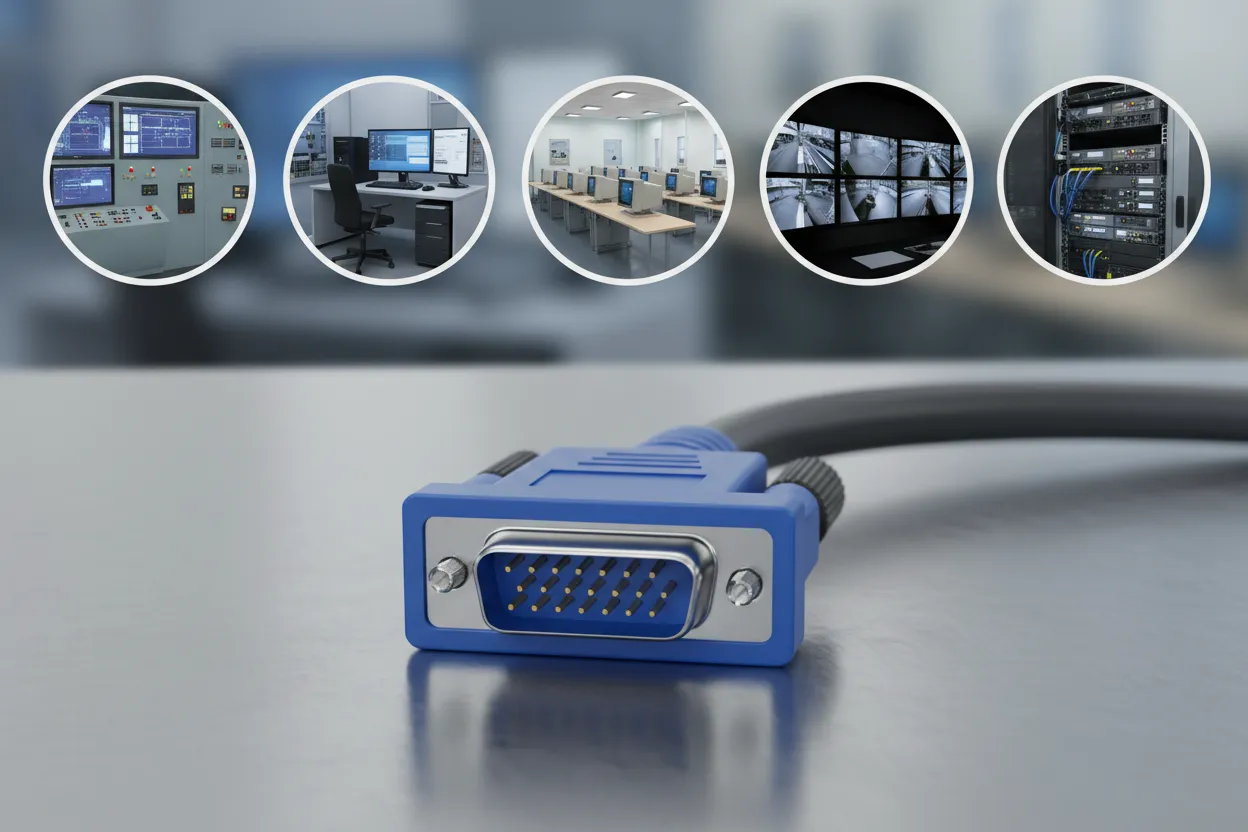
Where VGA Still Makes Sense Today
Despite its age, VGA remains practical in many environments, including:
-
Industrial automation systems
-
Educational facilities
-
Security and monitoring rooms
-
Legacy PCs and projectors
-
KVM and control applications
With proper planning and the right components, VGA can still deliver reliable performance.
Conclusion
VGA signal problems over long distances are not random—they are the natural result of analog transmission limits. By understanding the causes and applying the right solutions, system designers and installers can significantly extend VGA usability while avoiding unnecessary troubleshooting and downtime.
Frequently Asked Questions
Q: How long can a VGA cable run before signal degrades?
A: Typically, standard VGA cables work reliably up to 5 meters (16 ft). Beyond 15 meters (50 ft), image quality may degrade without high-quality shielding or signal boosters.
Q:Why does my VGA image look blurry over long distances?
A: VGA is analog, so longer cables weaken the signal. Attenuation, interference, and crosstalk between RGB lines can cause blurry images, color distortion, or ghosting.
Q: Can a VGA amplifier improve signal quality?
A: Yes. VGA amplifiers regenerate weakened signals, restoring clarity, brightness, and stability for long cable runs.
Q:Does cable quality affect VGA performance over distance?
A: Absolutely. High-purity copper conductors, multiple shielding layers, and properly molded connectors reduce interference and signal loss.
Q: Is it better to convert VGA to HDMI or use a long VGA cable?
A: For very long distances or high-resolution displays, converting VGA to digital signals like HDMI, DVI, or fiber optic transmission provides more reliable performance.

 English
  Spanish
  Arabic
  Portuguese