
A strong and dependable network is the backbone of every modern small business. Whether supporting daily communication, cloud applications, IP surveillance, or smart office devices, your infrastructure must be built on the right components. To help small business owners and IT managers avoid common mistakes and unnecessary costs, this guide outlines the essential items every small business network should include.
Structured Cabling Foundation
Your network starts with the physical infrastructure.
Choosing the right cabling ensures long-term performance and supports higher bandwidth in the future.
Recommended options:
-
Cat6 for standard office networks up to 1–10Gbps
-
Cat6A for stable 10Gbps performance up to 100m
-
Fiber optic cabling for long-distance runs or backbone connections
High-quality terminations using keystone jacks, patch panels, and certified connectors ensure reliability and minimize downtime.
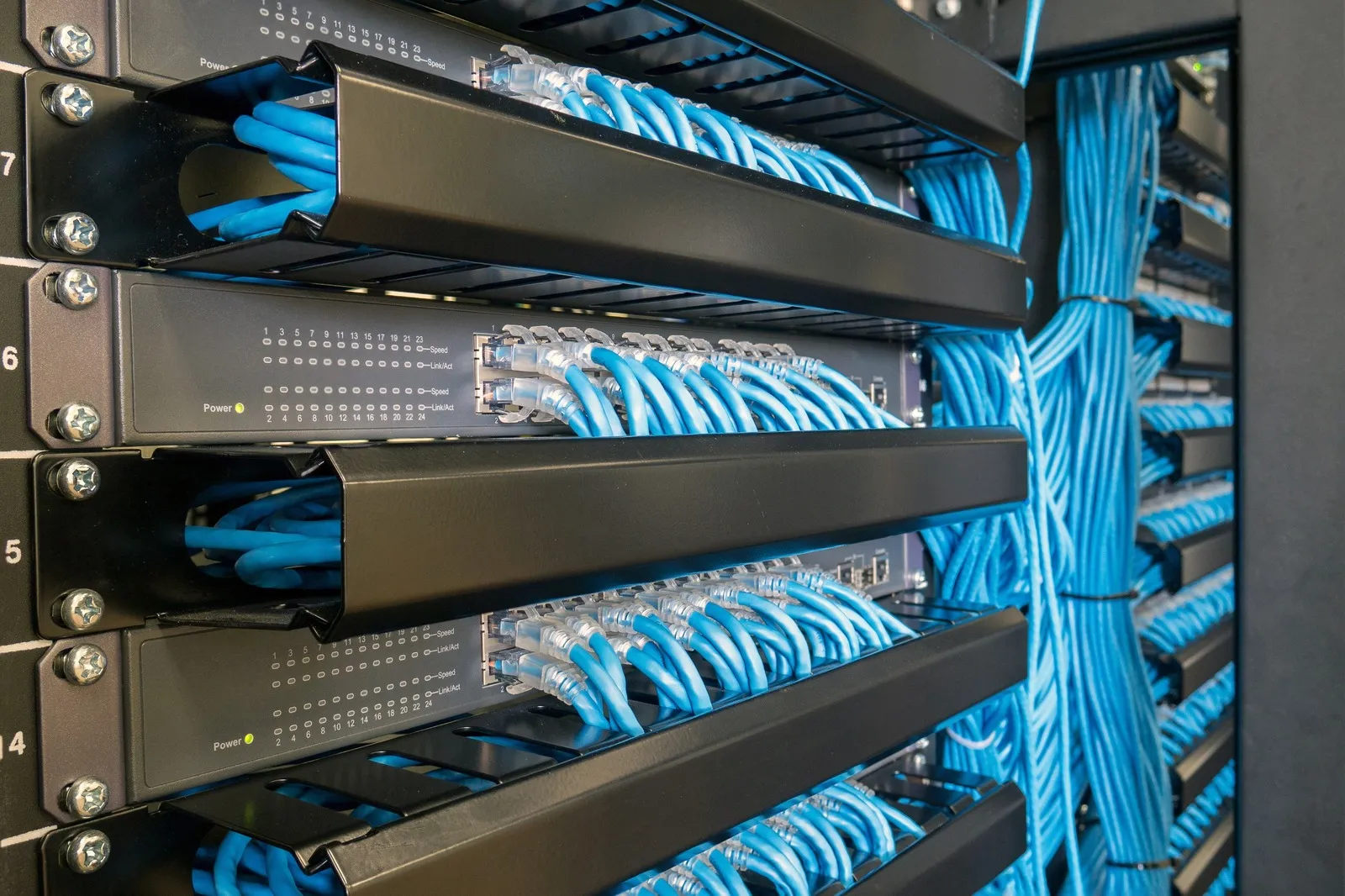
Switches for Device Management
Switches distribute network connectivity to computers,access points, and servers.
Key considerations:
-
Port count: 16–48 ports depending on device volume
-
PoE capability: Required for IP cameras, Wi-Fi APs, VoIP phones
-
Managed vs. unmanaged: Managed switches offer VLANs, QoS, and better control
A small business may start with a single switch but can expand easily by adding additional switches as the network grows.
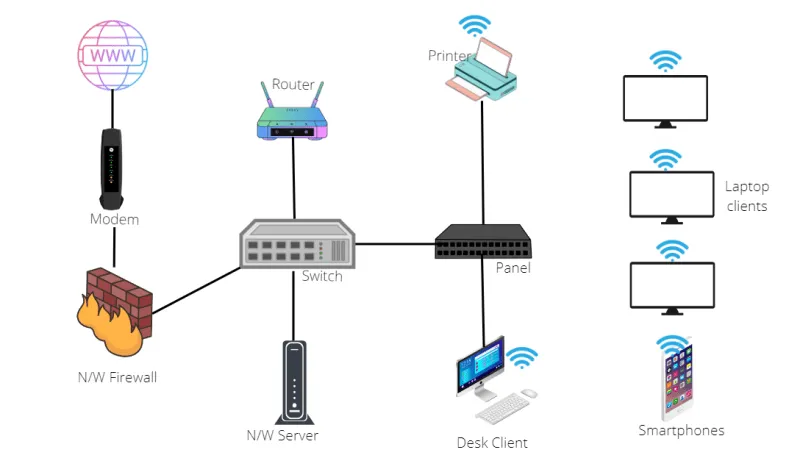
Business-Class Router or Gateway
A consumer router is often insufficient for small businesses.
A business-grade router provides:
-
Stronger security protection
-
Higher throughput
-
VPN support for remote work
-
Better connection stability
This is the central point where traffic enters and leaves your network, making it essential for performance and security.
Reliable Wi-Fi Coverage
Wireless connectivity influences employee productivity and customer experience.
Business-class access points provide higher user capacity, better roaming, and more stable throughput.
Planning tips:
-
Use multiple access points for multi-room or multi-floor offices
-
Conduct a Wi-Fi coverage test to identify weak spots
-
Choose models with WPA3 and modern radio technologies
Proper placement ensures smooth video conferencing, cloud access, and mobile device usage.
Network Security Essentials
Cybersecurity is not optional for small businesses.Attacks often target offices with weaker protection.
Every network should include:
-
Firewall or UTM appliance
-
Strong password and access policies
-
VLAN separation for guests and IoT devices
-
Regular firmware updates and backups
A simple but well-planned security setup drastically reduces risk.
Patch Panels, Racks, and Organization
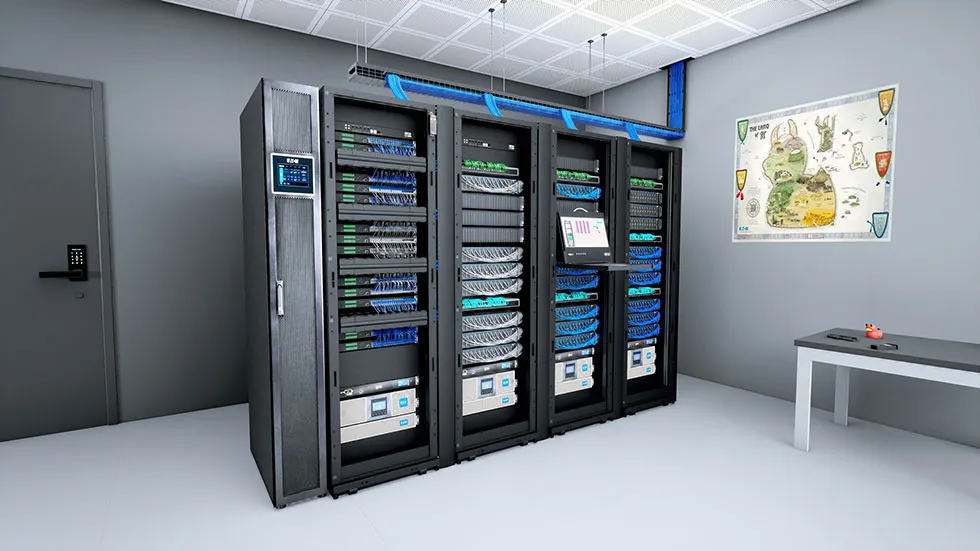
Structured management helps your network stay clean, scalable, and easy to maintain..
Important components include:
Proper organization reduces troubleshooting time and supports future upgrades.
Planning for Scalability
A network designed only for today’s needs will quickly become outdated.
To stay competitive, businesses should plan with growth in mind.
Plan ahead for:
-
Additional employees and devices
-
Increased cloud usage
-
IP surveillance expansion
-
Faster internet speeds
-
Upcoming technology upgrades (Wi-Fi 7, 25Gbps fiber, etc.)
A scalable design minimizes future disruptions and saves long-term costs.
Conclusão
A well-designed small business network delivers faster performance, better security, and improved operational efficiency. By following this checklist—covering cabling, equipment, security, and scalability—you can build a strong infrastructure that grows with your business. For companies looking to upgrade or build a new system, investing in quality components ensures stable and reliable long-term performance.
Perguntas mais frequentes
Q: Do small businesses need managed or PoE switches?
A: Managed switches provide enhanced control such as VLANs and traffic prioritization, which are useful if your network has IP cameras, servers, or VoIP. PoE switches are required if you power devices like cameras and Wi-Fi access points via the network cable.
Q: How often should a small business review or upgrade its network?
A: Most companies review their network every 3–5 years, or sooner if they add more devices, increase cloud usage, or notice performance bottlenecks.
Q:Should I use a consumer router or a business-class firewall/router?
A: A business-class router is recommended because it delivers stronger security, VPN capabilities, and stable performance for multi-device environments.
Q: Is Cat6 cabling enough for small businesses?
A: Cat6 satisfies most small-office needs. However, Cat6A is better if you require stable 10Gbps speeds or need strong shielding. Fiber is ideal for long distances or backbone connections.
Q: How important is cable management for small offices?
A: Good cable organization improves system reliability, makes troubleshooting easier, and helps maintain airflow. Even small businesses benefit from a tidy rack or wall-mount cabinet.
Q: What are essential components required for a small business network?
A: The essential components include structured cabling (Cat6, Cat6A, or fiber), network switches, a business-grade router or firewall, wireless access points, and proper cable management hardware such as patch panels and racks.

 Portuguese
  English
  Spanish
  Arabic