
Ethernet Cable and RJ45 Connector
RJ45 connector is a common network connector used for Ethernet cable connections and is widely used to connect network devices such as computers, routers, and switches. In modern communication, terminating a RJ45 connector is one of the key steps necessary for building stable and fast network connections. Correct wiring steps not only ensures the transmission quality of network signals, but also helps improve network speed and stability.
How to Terminate a RJ45 Connector
The method of terminating a RJ45 connector is relatively simple. Next, we will provide a detailed introduction to the actual operation steps and provide some precautions to ensure the reliability of the connection and transmission quality.
Step 1: Prepare Materials and Tools
Prepare the network cable, RJ45 connector, cable stripper, cable cutter, and crimping tool. Cable stripper is used to peel the outer jacket of cable, cutter is used to cut the wire end to the appropriate length, and crimping tool is used to crimp modular plug. Ensure that all tools are complete and tidy, which helps with smooth operation.

Step 2: Strip the Cable Jacket
Carefully peel off an appropriate length of the outer jacket of the twisted pair cable with a cable stripper, exposing the 8 wires inside. During the process, it is necessary to avoid damaging the internal conductors.
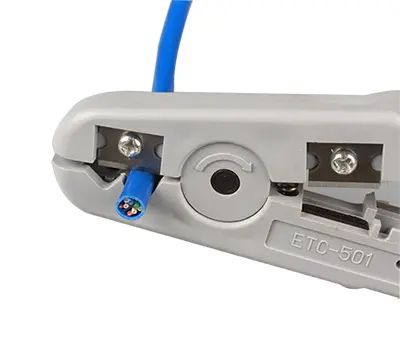
Step 3: Keep Wires Neat and Arrange Wire Sequences
Separate and straighten the 4 pairs of twisted pairs, resulting in 8 separate wires. During this process, we can use the cable jacket peeled off in step 2 to separate the twisted pairs and carefully straighten all the wires. Arrange 8 wires in the order of T568A or T568B wiring standard. Two wiring standards have different connection sequences, but the actual application effect is same. Currently, T568B standard is more commonly used.

Step 4: Cut Wires
Use cable cutter to diagonally cut 8 wires, taking care to avoid damaging the wire conductors. The cutting length needs to ensure that the wires can be fully inserted into the RJ45 connector, but not too long and cause clutter.
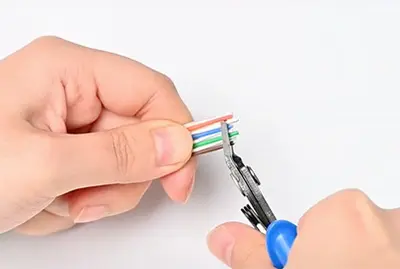
Step 5: Insert Wires
Insert the arranged wires into RJ45 connector, ensuring that each wire is correctly inserted into the hole in the connector and is not loose.
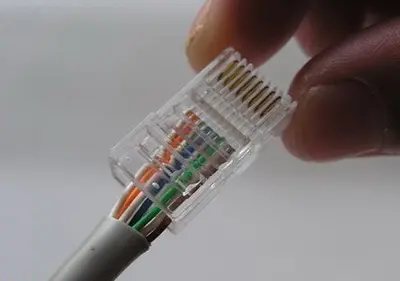
Step 6: Crimp the RJ45 Connector
Press the RJ45 connector with a crimping tool to establish a strong connection between the core wire and the metal contact at the top of the connector. When pressing, ensure that the wire core is tightly connected to the contact pin to avoid looseness and ensure a stable and reliable network connection.

Step 7: Complete and Test
After the network cable is terminated, check the wiring quality and use an Lan tester to test whether the patch cord can work properly.


 Arabic
  English
  Spanish
  Portuguese